Quick answer
Banding happens when a smooth gradient has more shades than an 8-bit image can store, so neighboring pixels snap to the same value and form visible steps. To fix it:
- Add dither or grain, the single most effective fix.
- Edit in 16-bit and only convert to 8-bit at the end.
- Avoid long blends between similar dark colors, or add intermediate stops.
- Export carefully: PNG or high-quality WebP, never low-quality JPEG.
What is gradient banding?
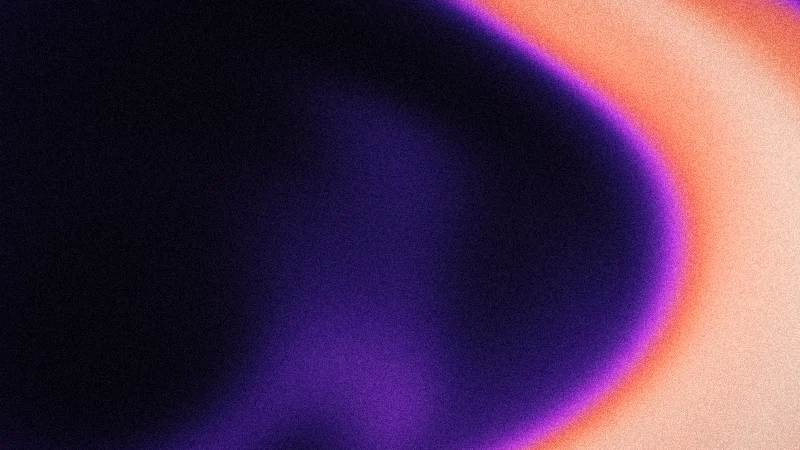
Instead of a smooth transition, you see distinct stripes or rings of color. It is most visible in dark gradients, subtle gradients between similar colors, and gradients stretched across large areas like wallpapers and hero sections.
The example above exaggerates the effect, but on a real screen even a few visible steps make a gradient look cheap.
Why banding happens
Most images and screens store 8 bits per color channel: 256 possible levels for red, green and blue. A gradient from dark navy to slightly lighter navy across a 2,000-pixel-wide image might only have 20 distinct levels available, so each level becomes a 100-pixel stripe.
Several things make it worse:
- Small value range: blends between similar colors have few levels to work with.
- Dark colors: our eyes are very sensitive to differences in dark tones.
- Compression: JPEG and video codecs smooth out fine detail, which removes any natural noise and leaves flat bands.
- Upscaling: stretching a small gradient image stretches the bands too.
Fix 1: Add dither or grain
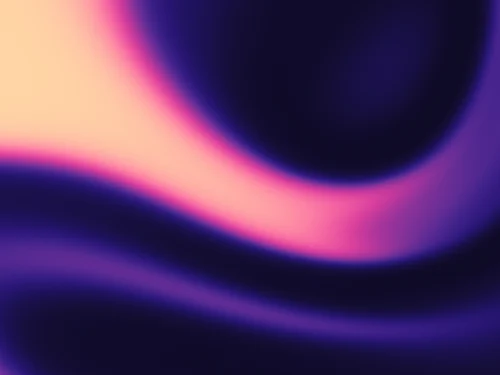
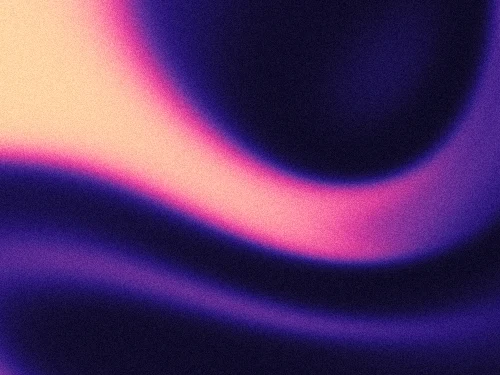
Dithering adds a tiny amount of noise so that pixels near a band edge randomly take the value above or below. The eye averages them out and sees a smooth transition. Grain does the same thing, just more visibly, and adds texture as a bonus.
| Tool | Where to find it |
|---|---|
| Photoshop | The Dither option in the Gradient Tool or gradient fill layer, or a noise layer on Overlay |
| GIMP | The Dither option in Gradient tool options |
| Figma | A low-opacity Noise effect on the gradient layer |
| After Effects | Ramp Scatter on Gradient Ramp, or Add Grain |
| Blender | Render Properties, Post Processing, Dither |
| CSS | An SVG noise overlay, or a gradient image with grain |
Fix 2: Work in 16-bit
16 bits per channel gives 65,536 levels instead of 256. Banding created during editing, for example by stacking adjustments, disappears. In Photoshop use Image › Mode › 16 Bits/Channel; in GIMP use Image › Precision; in After Effects set the project to 16 or 32 bits per channel.
Fix 3: Make smarter color choices
- Give the gradient a larger value range: a dark navy to a mid blue bands less than navy to slightly lighter navy.
- Add intermediate color stops instead of one long, subtle blend.
- Blend in a perceptual color space like OKLab for more even steps.
- Avoid huge, almost-flat dark areas behind important content.
Fix 4: Export the right way
| Format | Banding risk | Tip |
|---|---|---|
| PNG | Low | Lossless, best for gradients with grain |
| WebP (high quality) | Low to medium | Great balance of size and quality for the web |
| AVIF | Low to medium | Very efficient; check quality settings |
| JPEG (high quality) | Medium | Use 90 or higher, never low quality |
| Video (H.264) | High | Add grain and use a higher bitrate |
Always export at the final size or larger. Upscaling a small gradient makes banding much more visible, which is why phone wallpapers and 4K backgrounds should be rendered at their native resolution. Our wallpaper guide lists the exact sizes.
Banding in video and screen recordings
Video codecs are especially hard on gradients: they throw away the fine variation that hides banding. Add grain before rendering (it survives compression much better than a smooth gradient), raise the bitrate, and keep gradients from being too dark and subtle. For background loops, a gradient with built-in grain is the most reliable option.
Frequently asked questions
Why does my gradient have lines in it?
That is banding: the image does not have enough color levels to show a smooth transition, so similar shades snap together into visible steps. Add grain or dither and export in a lossless or high-quality format.
Does grain really fix banding?
Yes. Grain and dithering scatter the edges of the bands so the eye averages them into a smooth transition. A very small amount is usually enough.
Why are dark gradients more prone to banding?
Dark gradients often span a small range of values, so there are fewer levels available, and our eyes are very sensitive to small differences in dark tones.
Is banding my screen or my file?
It can be either. Check the file on another screen; if the bands appear everywhere, fix the file with grain, dithering or better export settings.